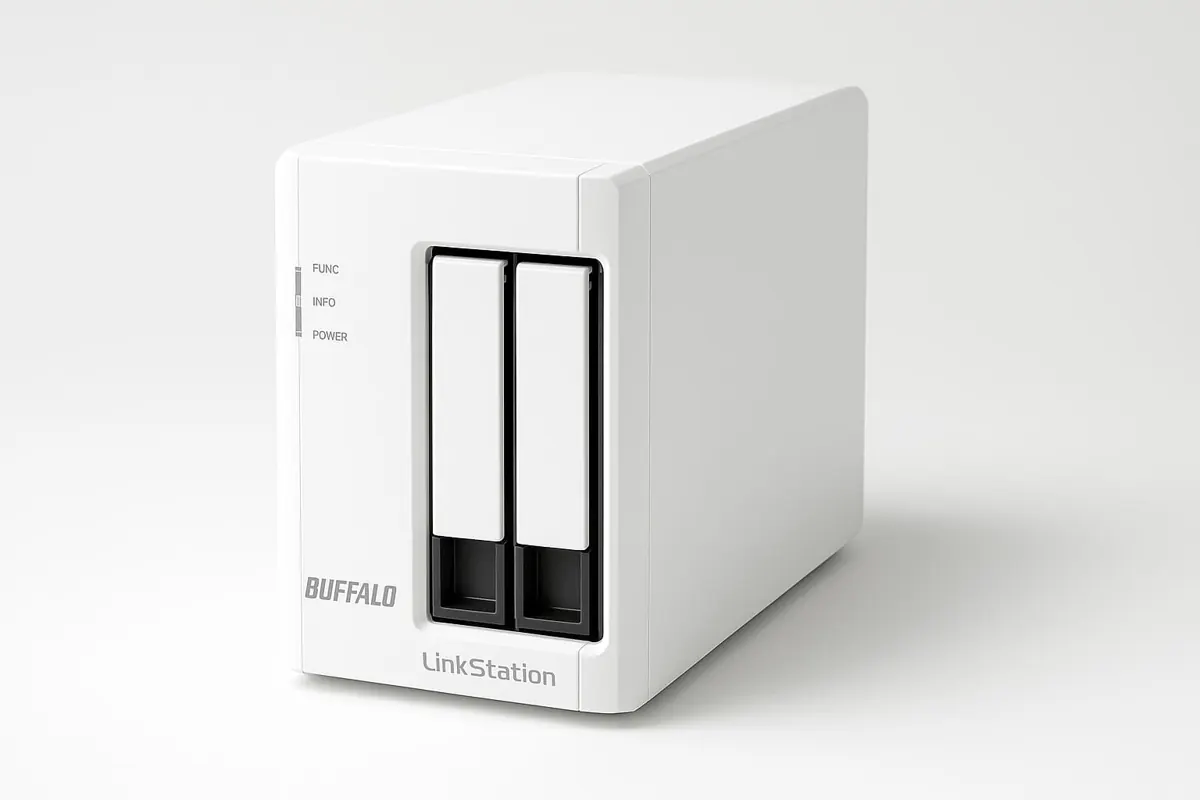
A NAS can centralize office files, automate backups, and make restores less chaotic, but only when the backup policy is clear before the hardware arrives.
List the folders that must be protected first.
Pick redundancy without pretending it replaces backup.
Separate owners, editors, and readers.
Keep at least one offsite or cloud copy.
Practice recovering one folder.
Send drive and backup warnings to a real person.
Map the files that actually need office backup
A NAS project should begin with the work that would hurt most if it vanished. List client folders, accounting exports, templates, local computer backups, and archived project media before comparing drive bays.
A reliable NAS setup should feel calm during ordinary weeks and useful during bad ones. Write down the expected owner, backup window, restore path, and alert recipient before buying hardware.
Use a simple evidence trail: a screenshot of the schedule, a note naming the restore owner, a list of protected folders, and the date of the last successful restore test. These small records make the NAS easier to manage when staff change or the office is under pressure.
Treat RAID as uptime, not a full backup
RAID can help a system stay online after a drive failure, but it does not protect against deletion, ransomware, fire, theft, or a broken sync rule. Pair redundancy with versioned copies.
A reliable NAS setup should feel calm during ordinary weeks and useful during bad ones. Write down the expected owner, backup window, restore path, and alert recipient before buying hardware.
Use a simple evidence trail: a screenshot of the schedule, a note naming the restore owner, a list of protected folders, and the date of the last successful restore test. These small records make the NAS easier to manage when staff change or the office is under pressure.
Use schedules that fit real work hours
Backups should run when machines are available and the network is not overloaded. For small offices, a predictable evening or lunch-window routine is easier to monitor than random jobs.
A reliable NAS setup should feel calm during ordinary weeks and useful during bad ones. Write down the expected owner, backup window, restore path, and alert recipient before buying hardware.
Use a simple evidence trail: a screenshot of the schedule, a note naming the restore owner, a list of protected folders, and the date of the last successful restore test. These small records make the NAS easier to manage when staff change or the office is under pressure.
Keep shared folders boring and strict
Separate owners, editors, and readers. A NAS should not turn every folder into a public dumping ground with delete access for everyone.
A reliable NAS setup should feel calm during ordinary weeks and useful during bad ones. Write down the expected owner, backup window, restore path, and alert recipient before buying hardware.
Use a simple evidence trail: a screenshot of the schedule, a note naming the restore owner, a list of protected folders, and the date of the last successful restore test. These small records make the NAS easier to manage when staff change or the office is under pressure.
Add an offsite copy before disaster decides for you
One local box is not a disaster recovery plan. Use cloud sync, a rotated drive, or another location for the files the office cannot lose.
A reliable NAS setup should feel calm during ordinary weeks and useful during bad ones. Write down the expected owner, backup window, restore path, and alert recipient before buying hardware.
Use a simple evidence trail: a screenshot of the schedule, a note naming the restore owner, a list of protected folders, and the date of the last successful restore test. These small records make the NAS easier to manage when staff change or the office is under pressure.
Test restores before trusting the system
A green dashboard is not enough. Restore a folder, a previous version, and a user-deleted file so the team knows the actual recovery path.
A reliable NAS setup should feel calm during ordinary weeks and useful during bad ones. Write down the expected owner, backup window, restore path, and alert recipient before buying hardware.
Use a simple evidence trail: a screenshot of the schedule, a note naming the restore owner, a list of protected folders, and the date of the last successful restore test. These small records make the NAS easier to manage when staff change or the office is under pressure.
Plan drive bays and growth
Leave space for snapshots, retention, and future projects. Filling a two-bay device immediately can create an expensive upgrade sooner than expected.
A reliable NAS setup should feel calm during ordinary weeks and useful during bad ones. Write down the expected owner, backup window, restore path, and alert recipient before buying hardware.
Use a simple evidence trail: a screenshot of the schedule, a note naming the restore owner, a list of protected folders, and the date of the last successful restore test. These small records make the NAS easier to manage when staff change or the office is under pressure.
Make health alerts visible
Drive warnings and failed backups should reach a real person. If alerts vanish into an unused admin account, the office may not notice trouble until restore day.
A reliable NAS setup should feel calm during ordinary weeks and useful during bad ones. Write down the expected owner, backup window, restore path, and alert recipient before buying hardware.
Use a simple evidence trail: a screenshot of the schedule, a note naming the restore owner, a list of protected folders, and the date of the last successful restore test. These small records make the NAS easier to manage when staff change or the office is under pressure.
Choose a safe physical location
A NAS needs ventilation, stable power, and protection from spills or easy theft. A tidy shelf beats a crowded desk corner.
A reliable NAS setup should feel calm during ordinary weeks and useful during bad ones. Write down the expected owner, backup window, restore path, and alert recipient before buying hardware.
Use a simple evidence trail: a screenshot of the schedule, a note naming the restore owner, a list of protected folders, and the date of the last successful restore test. These small records make the NAS easier to manage when staff change or the office is under pressure.
Compare devices after the workflow is clear
Once folders, users, schedules, capacity, and restore expectations are written down, product comparisons become much easier and less feature-chasing.
A reliable NAS setup should feel calm during ordinary weeks and useful during bad ones. Write down the expected owner, backup window, restore path, and alert recipient before buying hardware.
Use a simple evidence trail: a screenshot of the schedule, a note naming the restore owner, a list of protected folders, and the date of the last successful restore test. These small records make the NAS easier to manage when staff change or the office is under pressure.
Related reading
Compare product options in the network attached storage recommendations, then review the previous support page on Bluetooth audio transmitters for conference rooms.
Deep-dive support pages
Focused NAS planning notes.Backup Schedule Design
Focused NAS planning notes.User Permissions and Shared Folders
Focused NAS planning notes.Remote Access and VPN Safety
Focused NAS planning notes.Drive Bays and Expansion
Focused NAS planning notes.Restore Testing Routine
Focused NAS planning notes.